What Internet Speed Do You Need for IPTV? 2026 Guide
What Internet Speed Do You Need for IPTV?
Internet speed is one of the most important factors affecting IPTV streaming quality when using Smartiflix.
If your connection is too slow, unstable, or heavily congested, you may experience buffering, freezing, poor picture quality, or channels that take a long time to start.
However, having the fastest possible internet plan does not automatically guarantee perfect IPTV playback.
The quality of your connection, Wi-Fi signal, network congestion, streaming device, and the video bitrate of the stream can all affect performance.
So, what internet speed do you actually need for IPTV?
For most users, a stable connection with enough available bandwidth (essential for our IPTV plans) for the selected video quality is more important than simply choosing the highest advertised download speed.
This guide explains the recommended internet speeds for HD, Full HD, and 4K IPTV streaming and shows how to troubleshoot problems when your connection appears fast enough but IPTV still buffers.
Only use IPTV services, accounts, playlists, and streams that you are authorized to access. Consider a trusted Premium IPTV in USA, Europe & Canada.
How Much Internet Speed Does IPTV Need?
The exact requirement depends on the stream's resolution, bitrate, compression, and stability.
As a practical guideline:
| IPTV Quality | Recommended Minimum | More Comfortable Speed |
|---|---|---|
| SD | 3 Mbps | 5 Mbps+ |
| HD | 5 Mbps | 8–10 Mbps+ |
| Full HD | 8 Mbps | 10–15 Mbps+ |
| 4K | 25 Mbps | 35–50 Mbps+ |
These are practical guidelines rather than universal requirements.
A stream with a high bitrate may require more bandwidth than another stream with the same resolution.
Likewise, a stable 25 Mbps connection can perform better than an unstable connection advertised at a much higher speed.
What Is Internet Bandwidth?
Bandwidth is the amount of data your internet connection can transfer over a period of time.
Video streaming continuously downloads data from the streaming source to your device.
Higher-quality video generally requires more data.
For example, 4K video normally requires significantly more bandwidth than standard-definition video.
This is why a connection that works perfectly for basic HD streaming may struggle with demanding 4K streams.
Recommended Internet Speed for HD IPTV
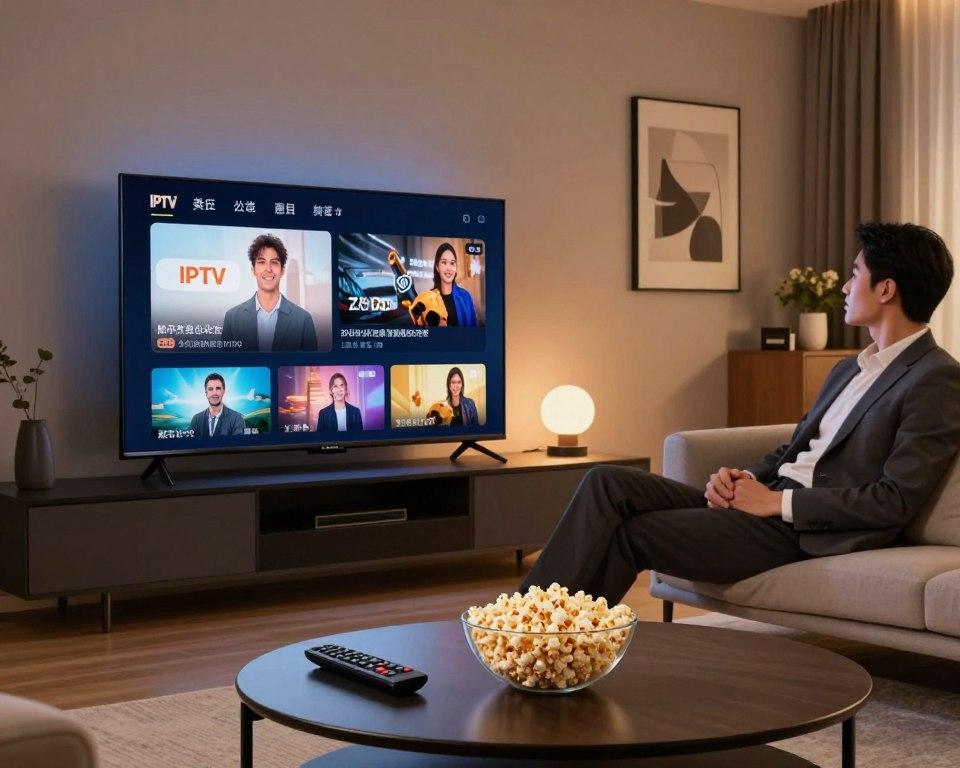 Internet speed requirements for HD Full HD and 4K IPTV
For HD IPTV, around 5 Mbps or more can be sufficient for a single stream under favorable conditions.
However, having additional bandwidth gives your network more room for fluctuations and other online activity.
A connection of approximately 8–10 Mbps or more can provide a more comfortable margin for a single HD stream.
Remember that the entire internet connection is shared between all devices in your home.
If someone else is streaming video, downloading a large file, or playing an online game, the bandwidth available to IPTV may be reduced.
Recommended Internet Speed for Full HD IPTV
Full HD streaming generally requires more bandwidth than standard HD.
A practical target is around 8–10 Mbps minimum, with approximately 10–15 Mbps or more providing additional headroom.
The actual requirement depends on the stream's bitrate and compression.
If Full HD constantly buffers despite having sufficient advertised speed, investigate network stability, Wi-Fi quality, device performance, and the stream itself.
Recommended Internet Speed for 4K IPTV
4K IPTV requires substantially more bandwidth than HD and Full HD.
A practical starting point is around 25 Mbps, while 35–50 Mbps or more provides a more comfortable margin for a single 4K stream.
However, speed is only one part of the equation.
4K buffering can also result from:
- High stream bitrate
- Weak Wi-Fi
- Network congestion
- Device limitations
- Router problems
- Streaming-server issues
If 4K buffers while Full HD works normally, the additional bandwidth and processing requirements of the 4K stream should be investigated. For more context on the causes of buffering, read our guide on IPTV Buffering: 15 Causes and How to Fix It in 2026.
Does Faster Internet Always Mean Better IPTV?
No.
A very fast internet plan cannot fix every IPTV problem.
For example, you could have a 500 Mbps connection and still experience buffering because of:
- Weak Wi-Fi
- Packet loss
- High latency
- Router problems
- Device limitations
- Application issues
- Server-side problems
Streaming quality depends on the complete connection between the source and your device.
Internet Speed vs Connection Stability
Speed measures how much data your connection can transfer.
Stability is about how consistently that connection performs.
For IPTV, both matter.
An unstable connection can cause interruptions even when a speed test reports a high download speed.
Watch for:
- Sudden speed drops
- Packet loss
- Wi-Fi disconnects
- High latency
- Network congestion
If IPTV repeatedly freezes while your speed test appears fast, stability may be the more important issue.
How Many Mbps Do You Need for Multiple IPTV Devices?
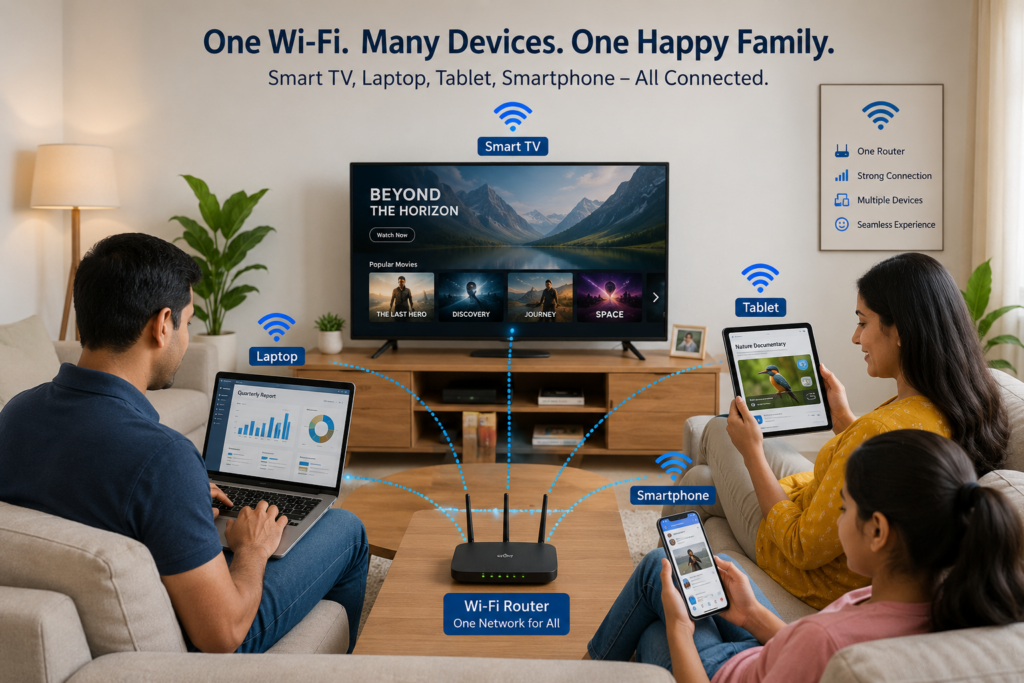 Multiple devices using internet bandwidth for IPTV
If multiple devices are streaming simultaneously, your household needs more available bandwidth.
For example, if two devices are each using around 10 Mbps, the network needs to provide enough bandwidth for both streams while also handling other internet activity.
A simple way to estimate your requirements is:
Total streaming bandwidth + bandwidth for other household activity + safety margin
For example:
- 1 HD stream → around 5–10 Mbps
- 2 HD streams → around 10–20 Mbps
- 3 HD streams → around 15–30 Mbps
- 1 4K stream → around 25–50 Mbps
These are practical estimates, not strict technical limits.
IPTV Speed Requirements for a Busy Household
Consider everything using the connection at the same time.
Your household may have:
- Smart TVs
- Smartphones
- Computers
- Game consoles
- Security cameras
- Cloud backups
- Video calls
- Other streaming services
If several devices are active simultaneously, your internet plan needs enough capacity to handle the combined demand.
A connection that is sufficient for one IPTV device may not be sufficient for several simultaneous high-quality streams.
Wi-Fi vs Ethernet for IPTV
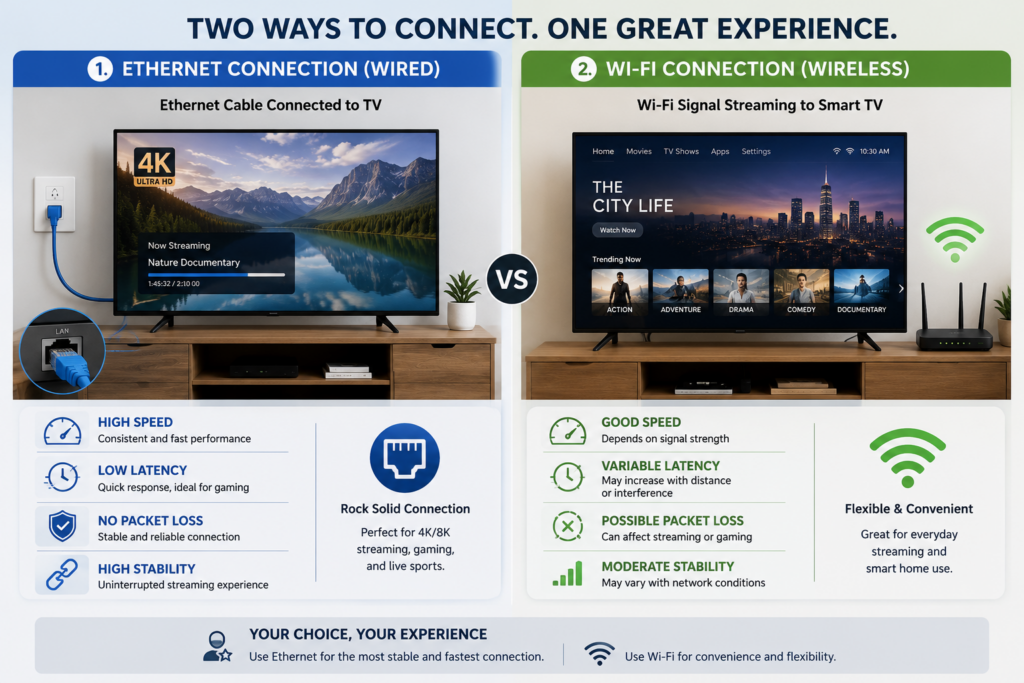 Wi-Fi and Ethernet connection for IPTV streaming
Ethernet is often preferable when a stable wired connection is available.
A wired connection can reduce problems caused by:
- Weak Wi-Fi signal
- Wireless interference
- Distance from the router
- Walls and obstacles
- Wireless congestion
Wi-Fi can still work very well for IPTV when the signal is strong and the network is properly configured.
If IPTV buffers over Wi-Fi, testing Ethernet can help determine whether the wireless connection is responsible.
2.4 GHz vs 5 GHz Wi-Fi for IPTV
Modern routers often provide both 2.4 GHz and 5 GHz Wi-Fi networks.
2.4 GHz
Advantages:
- Longer range
- Better penetration through some obstacles
Disadvantages:
- More congestion
- Generally lower performance than 5 GHz under ideal conditions
5 GHz
Advantages:
- Higher potential speeds
- Often less congestion
- Good for nearby streaming devices
Disadvantages:
- Shorter effective range
- Can be affected more by walls and distance
The best option depends on the layout of your home and the location of your IPTV device.
How to Test Your Internet Speed for IPTV
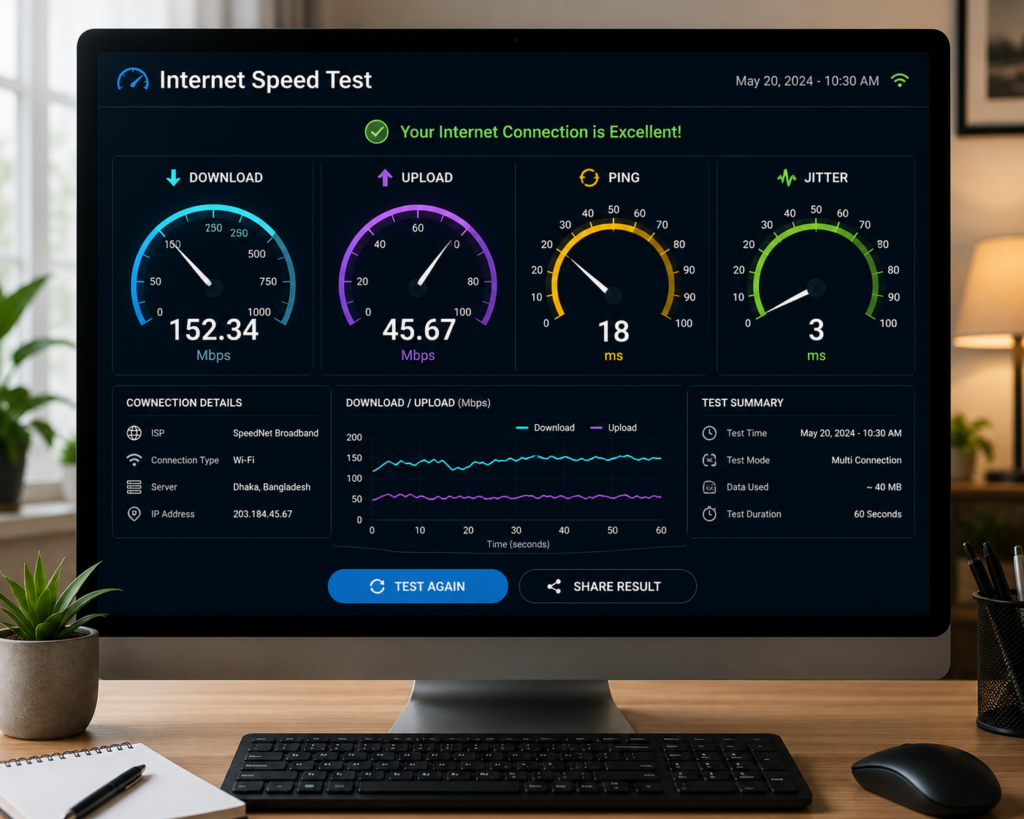 Testing internet speed for IPTV streaming
Do not test only from your smartphone and assume the TV has the same connection quality.
For a useful test:
- Run a speed test on the IPTV device itself if possible.
- Stop large downloads and other heavy network activity.
- Test several times.
- Compare results at different times of day.
- Test both Wi-Fi and Ethernet if available.
Pay attention to consistency rather than a single maximum speed result.
Why IPTV Can Buffer Even With Fast Internet
This is one of the most common questions.
You may have a fast internet connection but still experience buffering.
Possible causes include:
Weak Wi-Fi
The supported device may not receive a stable connection from the router.
Network Congestion
Other devices may consume most of the available bandwidth.
High-Bitrate Stream
A particular 4K or high-quality stream may require more bandwidth.
Device Limitations
The device may struggle to decode or process the stream.
IPTV Player Problems
The application may have compatibility or configuration issues.
Server-Side Problems
The authorized streaming source (if not using Smartiflix IPTV service) may temporarily experience technical problems.
What Internet Speed Do You Need for IPTV on Smart TV?
For a Smart TV, the recommended speed depends on the stream quality.
As a general guideline:
- HD: 5–10 Mbps+
- Full HD: 10–15 Mbps+
- 4K: 25–50 Mbps+
The TV's Wi-Fi hardware can also affect performance.
If your Smart TV supports Ethernet, testing a wired connection can help identify Wi-Fi problems.
What Internet Speed Do You Need for IPTV on Firestick?
Fire TV devices can stream IPTV effectively when they have a stable network connection.
As a practical guideline:
- HD: 5–10 Mbps+
- Full HD: 10–15 Mbps+
- 4K: 25–50 Mbps+
If buffering occurs, check the Wi-Fi signal, device storage, software updates, and stream quality.
What Internet Speed Do You Need for IPTV on Android TV?
Android TV devices have different hardware and network capabilities.
For a single stream, the same general bandwidth guidelines apply:
- HD: 5–10 Mbps+
- Full HD: 10–15 Mbps+
- 4K: 25–50 Mbps+
If the connection is fast enough but playback remains unstable, investigate the device, IPTV player, Wi-Fi, and stream bitrate. If needed, contact our support.
How to Reduce IPTV Buffering
If your speed is sufficient but IPTV still buffers, try these steps:
- Restart your router.
- Restart your IPTV device.
- Move closer to the Wi-Fi router.
- Test Ethernet.
- Pause large downloads.
- Disconnect unnecessary devices.
- Lower the video quality.
- Update your IPTV player.
- Restart the application.
- Test another channel.
- Test another compatible player.
- Compare performance on another network.
Change one variable at a time so you can identify the actual cause.
Internet Speed Requirements: Quick Reference
| Streaming Quality | Practical Minimum | Recommended Target |
|---|---|---|
| SD | 3 Mbps | 5 Mbps+ |
| HD | 5 Mbps | 8–10 Mbps+ |
| Full HD | 8 Mbps | 10–15 Mbps+ |
| 4K | 25 Mbps | 35–50 Mbps+ |
These figures should be treated as practical guidelines rather than guaranteed requirements.
The actual bitrate of the stream and the quality of your connection can change the result.
Frequently Asked Questions
Conclusion
There is no single internet speed that guarantees perfect IPTV playback for everyone.
As a practical guideline, a single HD stream can often work with around 5–10 Mbps, Full HD with approximately 10–15 Mbps, and 4K with around 25–50 Mbps or more depending on the stream.
However, bandwidth is only one part of the equation.
A stable connection, strong Wi-Fi or Ethernet connection, capable streaming device, properly configured IPTV player, and reliable authorized streaming source are all important.
If IPTV buffers despite having enough advertised speed, do not immediately upgrade your internet plan.
First test the connection on the actual IPTV device, check Wi-Fi stability, reduce network congestion, test Ethernet, and compare different stream qualities.
Understanding both internet speed and connection quality will help you identify the real cause of IPTV streaming problems and choose the right solution.