What Is VOD in IPTV? Everything You Need to Know
What Is VOD in IPTV? Everything You Need to Know
When exploring alternatives to traditional cable television, many people quickly discover that modern IPTV streaming offers far more than just live channels.
Many IPTV platforms provide extensive on-demand viewing, allowing you to choose exactly what you want to watch instead of waiting for a scheduled broadcast.
This on-demand library is what providers mean when they mention VOD — Video on Demand.
In this guide, we will explain exactly what VOD means in IPTV, how it works, how it differs from live TV, and what features to look for when choosing a reliable Premium IPTV in USA, Europe & Canada.
What Does VOD Mean in IPTV?
VOD stands for Video on Demand.
In simple terms, VOD allows viewers to browse a library of available content and choose what to watch whenever they want, rather than following a strict live broadcast schedule.
Common examples of VOD content include:
- Movies
- TV series
- Documentaries
- Pay-per-view replays
- Kids programming
While live TV forces you to tune in at a specific time, VOD puts you in control of the playback. However, it is important to remember that not every IPTV service includes VOD; it depends on the provider's focus and licensing.
How Does VOD Work in IPTV?
The process is generally very straightforward:
- The IPTV service maintains a server with on-demand content.
- You open your compatible IPTV application.
- You navigate to the VOD or "Movies & Series" section.
- You browse the available library or search for a specific title.
- You select a movie or episode, and it begins streaming over the internet instantly.
The exact interface and available features depend entirely on the specific IPTV player and service you are using. (If you want to evaluate an interface yourself, read How to Test an IPTV Service Before Subscribing).
IPTV VOD vs Live TV: What's the Difference?
Here is a quick comparison between on-demand content and live broadcasting:
| Feature | VOD | Live TV |
|---|---|---|
| Viewing time | User chooses | Follows broadcast schedule |
| Content selection | Choose from an available library | Choose from live channels |
| Playback | Starts from the beginning when selected | Already broadcasting |
| Pause/Resume | Often available (depends on service/player) | Depends on service/player |
| Movies & Series | Very common use case | Depends entirely on the channel |
| EPG | Usually less important for VOD | Very useful for schedules |
Features will vary by provider and application, but generally, VOD offers much more playback flexibility.
What Can You Watch With IPTV VOD?
Depending on the provider, a VOD library might include a massive variety of content. Common categories include:
- Blockbuster movies
- Complete TV series
- Documentaries
- Kids and family content
- Entertainment and reality shows
- International cinema
Availability depends heavily on the provider, your region, and the relevant distribution rights.
Watching Movies With IPTV VOD
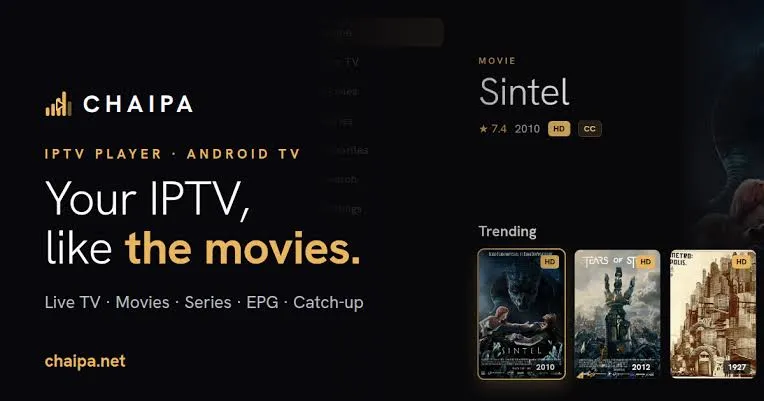 Watching movies with IPTV VOD
Watching a movie through VOD is typically a seamless experience. You browse categories, search for a title, open its information page (which often includes a synopsis, cast, and rating), and hit play.
Picture quality can vary greatly and may include:
- Standard Definition (SD)
- High Definition (HD)
- Full HD (1080p)
- 4K Ultra HD (where available and supported)
Note that 4K is only available if the specific service provides the source file in that resolution and your connection supports it.
Watching TV Series With IPTV VOD
For TV series, the VOD structure is slightly more organized. You will typically find:
- Series categories (Comedy, Drama, Sci-Fi)
- Seasons neatly separated
- Individual episodes clearly listed
Many applications allow you to easily select an episode and even resume playback from where you left off, provided the app supports it. Organization varies widely between different platforms.
What Makes a Good IPTV VOD Library?
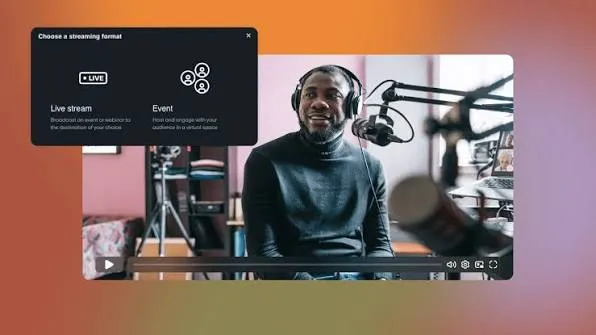 An organized IPTV VOD library interface
When evaluating a service's VOD offering, look for these helpful organizational features:
- Clear categories and genres
- A functional search bar
- "Recently Added" or "Trending" sections
- The ability to save Favorites
- Sorting options (alphabetical, newest, rating)
- Detailed movie/series metadata (cover art, synopsis)
- Intuitive navigation
What Picture Quality Can You Expect From IPTV VOD?
You can generally expect everything from SD up to Full HD, and sometimes 4K.
However, the actual quality you experience depends on several factors:
- The original source quality provided by the service
- The file's bitrate and compression
- Your internet connection's speed and stability
- The processing capability of your streaming device
- The IPTV application you are using
No IPTV provider can magically deliver perfect 4K quality if your internet or device cannot process the data quickly enough.
Does IPTV VOD Require Fast Internet?
Yes, VOD streams directly through your internet connection.
Higher resolutions require significantly more bandwidth. Connection stability is vital, and poor Wi-Fi quality can easily ruin your viewing experience. Using a wired Ethernet connection often provides the most stable setup for high-quality streaming. (For more details, check out What Internet Speed Do You Need for IPTV?).
Why Does IPTV VOD Buffer?
If your on-demand movie keeps pausing, possible causes include:
- A weak or unstable internet connection
- Wi-Fi interference
- Severe network congestion in your home
- Device limitations (e.g., an older Smart TV struggling with a high-bitrate 4K file)
- Application bugs
- Provider-side server issues
To troubleshoot, test your internet speed, restart your router and streaming device, and try using Ethernet. If the issue persists across all content, you may want to read our comprehensive guide on IPTV Buffering: 15 Causes and How to Fix It.
Which Devices Can Play IPTV VOD?
 Devices that support IPTV VOD streaming
VOD can be played on almost any device that supports IPTV applications, including:
- Smart TVs (Samsung, LG, etc.)
- Android TV and Google TV devices
- Amazon Fire TV / Firestick
- Android smartphones and tablets
- iPhone and iPad
- Windows PCs and Macs
- Apple TV
For assistance configuring your specific hardware, see our installation guides.
Do You Need a Special App for IPTV VOD?
It is important to understand the difference between an IPTV service (the company providing the content) and an IPTV application (the media player on your device).
Usually, any comprehensive IPTV player that handles live TV will also have a dedicated section for VOD. The exact setup depends on the provider and the platform you are using. (If your app crashes when loading VOD, consult IPTV Not Working: 15 Things to Check First).
What Should You Look for in an IPTV VOD Service?
If VOD is your primary reason for subscribing to an IPTV service, look for:
- Excellent library organization and search tools
- High playback quality without excessive compression
- Fast loading speeds and stability
- Broad device compatibility
- Subtitle and alternative audio options (where available)
- Resume functionality (where supported by the app)
- Regular content updates
Not every service focuses heavily on VOD, so be sure to check these features during your evaluation.
IPTV VOD vs Traditional Streaming Services
While both offer movies and series over the internet, traditional dedicated streaming platforms (like the big corporate services) focus exclusively on highly curated, often original VOD content with unified interfaces.
IPTV VOD libraries are usually part of a broader package that includes live TV (and often live sports). The user interface, subscription model, and regional availability can differ significantly between a dedicated streaming service and an all-in-one IPTV solution. (If you are considering how traditional TV fits into this, check out IPTV vs Cable TV and IPTV vs Satellite TV).
Does Smartiflix Offer VOD?
Yes, if you are seeking a reliable platform, the Smartiflix service includes access to a robust VOD library as part of its standard offering.
Our focus is on providing a stable, high-quality viewing experience across various devices. The Smartiflix IPTV subscription grants you access to an organized selection of on-demand movies and series, complementing our extensive live television channels. We encourage you to explore our pricing plans and read our FAQ for more details.
If you ever encounter issues finding specific VOD content, our customer support team is ready to help ensure your Smartiflix IPTV experience is seamless.
Conclusion
Understanding what VOD means in IPTV is crucial when evaluating your home entertainment options. Video on Demand provides the ultimate flexibility, allowing you to watch your favorite movies and series on your own schedule with the convenience of pausing, fast-forwarding, and resuming.
Whether you prefer the thrill of live sports or a relaxing evening with a blockbuster movie, a robust IPTV VOD library can dramatically enhance your viewing experience. Ready to see the difference? Check out the Smartiflix homepage to explore our comprehensive streaming solutions.