Best IPTV Players for Smart TV in 2026: Complete Guide
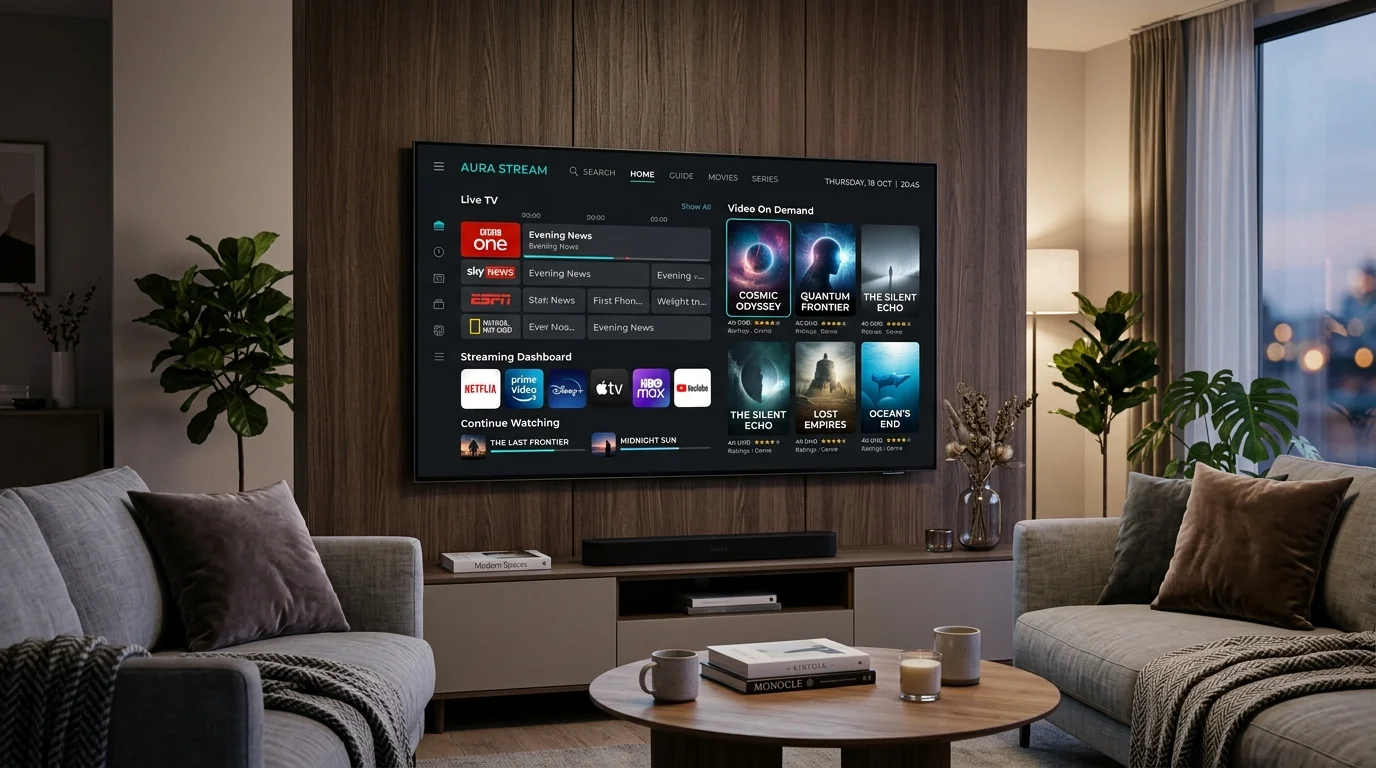
Best IPTV Players for Smart TV in 2026: Complete Guide
Modern Smart TVs have revolutionized home entertainment, turning living room screens into powerful digital centers capable of streaming thousands of television broadcasts and on-demand titles over the internet. However, when transitioning from traditional cable or satellite to an Internet Protocol Television setup, many users encounter an immediate point of confusion: downloading an application and expecting channels to appear automatically.
In reality, digital television streaming relies on two distinct elements working together: an authorized subscription service that supplies channel feeds, and a compatible application—known as an IPTV player—that renders those feeds on your screen.
Choosing the best IPTV players for Smart TV in 2026 can dramatically transform your daily viewing experience. A top-tier player turns complex channel playlists into a clean grid program guide, remembers your favorite channels, organizes video-on-demand movies with metadata, and optimizes video decoding so high-definition and 4K streams play smoothly without stuttering.
In this comprehensive guide, we will evaluate the leading IPTV apps 2026, compare their features across operating systems (such as Samsung Tizen, LG webOS, Android TV, and Fire TV), demystify key streaming standards like M3U and Xtream Codes, and provide a clear framework to help you choose the ideal Smart TV IPTV player for your home setup alongside your Smartiflix IPTV subscription.
What Is an IPTV Player?
To understand how modern television streaming functions on a Smart TV, it is essential to distinguish between the delivery infrastructure and the software application you interact with on screen.
An IPTV player is a media application designed to read, parse, and render digital television streams provided by an external source. The player software acts as the visual user interface: it displays your Electronic Program Guide (EPG), organizes channel categories, provides video playback controls (play, pause, rewind, audio track selection, and subtitles), and handles hardware video decoding on your TV display.
Crucially, an IPTV player does not supply television channels, playlists, or content by default.
Think of an IPTV player like a web browser (such as Google Chrome or Safari). Chrome is a software tool used to view websites, but Chrome itself does not create or own the content on those websites; you must enter a URL to visit a web page. Similarly, an IPTV player is an empty software shell until you configure it with valid access credentials—such as an M3U playlist URL or Xtream Codes API server details—obtained from a legitimate service operator like Smartiflix.
When you pair an authorized provider with a high-performance IPTV player with EPG, the application connects to the streaming server, fetches the program schedule, imports channel logos, and presents your television content in an intuitive, remote-friendly interface.
What Makes a Good IPTV Player for Smart TV?
Not all streaming applications are created equal. An application designed for a touchscreen smartphone or a desktop computer often feels clunky and frustrating when controlled with a standard television remote control. When evaluating IPTV players for Smart TV, the following key features determine whether an application delivers a smooth, enjoyable viewing experience:
1. Operating System Compatibility & App Store Availability
A great application must run natively on your television's specific operating system. Compatibility varies significantly across platforms:
- Samsung Smart TVs: Powered by Tizen OS.
- LG Smart TVs: Powered by webOS.
- Android TV & Google TV: Used by Sony, TCL, Hisense, and external media devices.
- Amazon Fire TV: Built on FireOS (an Android derivative).
Applications available directly through your TV's official app store ensure seamless installation, automatic background updates, and optimal system integration.
2. Remote-Control Friendliness & Navigation
Unlike mobile devices with touch inputs, Smart TVs rely on directional pad (D-pad) navigation from a TV remote. The best IPTV player for Smart TV features large, high-contrast visual focus indicators, customizable quick buttons (such as channel up/down and back-to-previous-channel), and fast responsive menus that do not lag when scrolling through large channel lists.
3. Electronic Program Guide (EPG) Performance
A robust EPG transforms raw channel lists into an organized TV grid matching traditional broadcast TV interfaces. A superior player parses EPG data quickly, displays active program progress bars, shows upcoming show descriptions, and allows effortless channel switching directly from the guide.
4. Playlist & Connection Format Support
Flexible applications support multiple playlist formats, primarily:
- M3U / M3U8 Playlists: Text-based playlist URLs containing stream locations.
- Xtream Codes API: Server authentication using server URL, username, and password, which automatically populates live channels, VOD libraries, and EPG schedules without requiring separate XML URLs.
5. Video-on-Demand (VOD) & Series Organization
For viewers who enjoy movies and multi-season TV shows, the player should organize VOD content into clean poster grids with searchable titles, episode lists, plot synopses, cast information, and automatic "continue watching" resume progress. Learn more about on-demand streaming in our guide on what VOD means in IPTV.
6. Playback Stability & Hardware Acceleration
The application must support modern video decoders (such as H.264 and H.265/HEVC) and offer hardware decoding options (HW / HW+). Hardware acceleration offloads video processing to your Smart TV's graphics chip, ensuring fluid frame rates for fast-paced sports and 4K broadcasts.
7. Customization & Multi-Playlist Support
Advanced users benefit from features like custom channel favorite lists, channel hiding, category reordering, parental control PIN locks, auto-frame-rate matching, and the ability to manage multiple playlist sources within a single application interface.
IPTV Player Comparison: Overview
Before diving into individual reviews, it is helpful to look at how the top applications compare across major Smart TV platforms and operating environments in 2026. The table below outlines the core capabilities of the most popular applications evaluated in this guide:
| IPTV Player App | Samsung Tizen Support | LG webOS Support | Android TV Support | Fire TV Support | EPG Integration | M3U Support | Xtream API Support | VOD & Series | Pricing Model |
|---|---|---|---|---|---|---|---|---|---|
| TiviMate | No (External Stick) | No (External Stick) | Yes (Native) | Yes (Sideload/Store) | Advanced Grid | Yes | Yes | Yes (Premium) | Free / Premium Upgrade |
| IPTV Smarters Pro | Yes | Yes | Yes | Yes | Standard | Yes | Yes | Excellent | Free / Premium Features |
| Smart IPTV (SIPTV) | Yes | Yes | Yes | Limited | Basic | Yes | Manual / Limited | Basic | One-time Activation Fee |
| SS IPTV | Yes | Yes | Yes | Limited | Basic | Yes | Manual | Limited | Free |
| IBO Player | Yes | Yes | Yes | Yes | Modern Grid | Yes | Yes | Excellent | One-time License per Device |
| OTT Navigator | No | No | Yes (Native) | Yes | Advanced Grid | Yes | Yes | Advanced | Free / Premium Upgrade |
| GSE Smart IPTV | Limited | Limited | Yes | Yes | Standard | Yes | Yes | Good | Free / In-App Purchases |
Note: Platform availability can vary depending on your regional app store catalog and TV model year. Always check your TV's native app store to verify current compatibility.
Detailed Reviews of the Best IPTV Players
Let us examine each major application in detail to understand its strengths, interface layout, performance characteristics, and ideal use cases.
TiviMate IPTV Player
Widely regarded by home theater enthusiasts as the gold standard IPTV player for Android TV and Fire TV devices, TiviMate delivers an unmatched cable-like television experience.
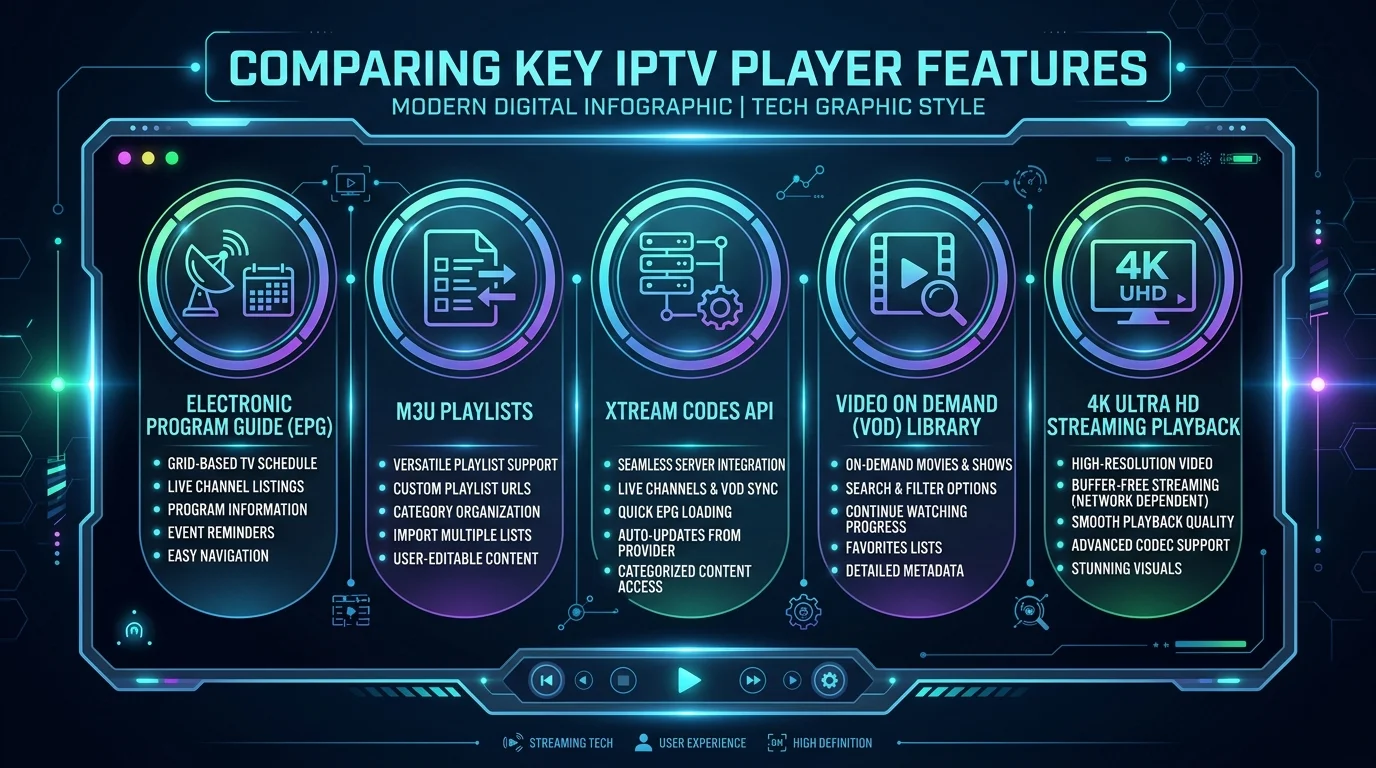 Comparing key IPTV player features including EPG, M3U, Xtream Codes, VOD, and 4K playback
- What It Is: A premium media player built specifically for set-top boxes, Android TVs, and Firesticks, featuring a modern grid-based TV interface.
- Best Features: Ultra-fast EPG loading, multi-view screen splitting (watch up to 4 live streams simultaneously), automated playlist updating, deep search capabilities, and highly customizable UI color themes.
- Supported Platforms: Android TV, Google TV, Amazon Fire TV devices. (Not natively available on Samsung Tizen or LG webOS).
- Interface & Usability: Exceptional remote control integration. Navigating between live channels, program guides, and category lists is instantaneous.
- EPG & Playlist Support: Full M3U and Xtream Codes API compatibility with seamless auto-syncing EPG updates.
- VOD Capabilities: Excellent organized poster presentation for movies and series in the Premium version.
- Best For: Viewers using Android TV or Firestick hardware who want a polished, cable-style TV guide experience.
- Potential Limitations: Native app stores for Samsung and LG do not support TiviMate; requires an external streaming stick on those TVs.
IPTV Smarters Pro / Smarters Player Lite
One of the most recognizable and widely used applications across the world, IPTV Smarters offers cross-platform consistency for almost every Smart TV ecosystem.
- What It Is: A versatile multi-platform best IPTV app for Smart TV available natively across Samsung, LG, Android, and Apple app stores.
- Best Features: Clean multi-user dashboard, built-in speed test tool, parental controls, multi-screen viewing, and native master search across live channels, movies, and series.
- Supported Platforms: Samsung Smart TV (Tizen), LG Smart TV (webOS), Android TV, Amazon Fire TV, iOS, Apple TV, Windows, Mac.
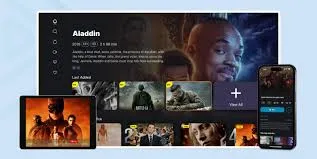
- Interface & Usability: Intuitive tile-based home screen dividing content into Live TV, Movies, Series, and Catch-up sections. Simple for family members of all technical levels.
- EPG & Playlist Support: Supports both M3U URLs and Xtream Codes API credentials with automatic guide parsing.
- VOD Capabilities: Outstanding VOD layout featuring movie posters, cast overviews, trailers, and episode selectors.
- Best For: Beginners and multi-device households looking for an easy-to-use IPTV app for Samsung Smart TV or LG TV without needing extra hardware.
- Potential Limitations: Free versions on some platform app stores may contain banner ads or limited feature sets.
Smart IPTV (SIPTV)
One of the pioneer applications in the Smart TV streaming space, Smart IPTV remains a popular lightweight choice for older television sets.
- What It Is: A minimalist player app designed to load external M3U playlists via MAC address registration on the developer's website.
- Best Features: Extremely lightweight code, minimal resource usage, simple numeric channel switching on traditional TV remotes, fast initial app boot time.
- Supported Platforms: Samsung Tizen, LG webOS, Android TV.
- Interface & Usability: Basic linear channel list on the left with show descriptions on the right. Functional, though visually dated compared to modern 2026 applications.
- EPG & Playlist Support: M3U playlist loading via online activation portal; EPG support depends on provider XML links.
- VOD Capabilities: Basic list-based VOD presentation without rich movie poster artwork or metadata parsing.
- Best For: Users with entry-level Smart TVs who prefer a simple, no-frills numeric channel list.
- Potential Limitations: Interface feels dated; setting up playlists requires visiting an external web browser to upload M3U links via MAC address.
SS IPTV (Simple Smart IPTV)
A free, multi-purpose application available on select Smart TV app stores, SS IPTV allows users to stream television broadcasts directly through customized playlists.
- What It Is: A free main-board application designed for Smart TVs that allows importing playlist codes and custom provider links.
- Best Features: 100% free application without subscription fees, built-in parental control locks, customizable channel groups, flexible playlist switching.
- Supported Platforms: LG webOS, select Samsung Tizen models, Android TV.
- Interface & Usability: Tile-based menu layout with customizable category shortcuts.
- EPG & Playlist Support: Supports M3U playlists and internal connection codes provided by partner operators.
- VOD Capabilities: Basic video playback capabilities for connected media libraries.
- Best For: Budget-conscious users seeking a completely free native application for LG or Samsung TVs.
- Potential Limitations: EPG configuration can be complex; app store availability varies by country and TV model year.
IBO Player
IBO Player has emerged in recent years as a top-tier modern competitor for LG and Samsung TV owners who want a stylish, fast user interface without buying external streaming hardware.
- What It Is: A premium, high-performance Smart TV media application engineered specifically for webOS and Tizen OS displays.
- Best Features: Modern glassmorphism UI design, lighting-fast channel changing times, multi-playlist management, support for external subtitles and multi-audio tracks, integrated 4K video player engine.
- Supported Platforms: Samsung Smart TV, LG Smart TV, Android TV, Fire TV, Apple TV.
- Interface & Usability: Sleek, responsive layout with smooth transitions, large channel logo thumbnails, and intuitive remote navigation.
- EPG & Playlist Support: Full Xtream Codes API and M3U URL support with rapid background EPG synchronization.
- VOD Capabilities: Excellent poster grids, trailer previews, category filters, and continue-watching tracking.
- Best For: Samsung and LG Smart TV owners who want a polished, high-speed native application directly from their TV's app store.
- Potential Limitations: Requires a small one-time activation license fee per device after a free trial period.
OTT Navigator IPTV
A highly configurable alternative to TiviMate for Android-based entertainment setups, OTT Navigator offers deep granular control over every aspect of playback and channel organization.
- What It Is: An feature-rich Android TV media application focused on media organization, studio filters, and advanced playback customization.
- Best Features: Automatic channel grouping by genre or country, media archive catch-up support, picture-in-picture mode, automatic studio icon downloading, stream quality diagnostic overlays.
- Supported Platforms: Android TV, Google TV, Fire TV.
- Interface & Usability: Highly customizable layout with options for list views, grid views, and compact guide views.
- EPG & Playlist Support: Supports M3U, Xtream Codes, and Code-based provider setups with automatic background EPG sync.
- VOD Capabilities: Strong VOD organization with sorting by rating, release year, and genre.
- Best For: Technical power users on Android TV who want deep customization options and detailed playback stats.
- Potential Limitations: The sheer number of settings menus can feel overwhelming for complete beginners.
GSE Smart IPTV
A long-standing multi-platform application known for its extensive playlist tools and media conversion utilities across mobile and TV screens.
- What It Is: A comprehensive IPTV solution offering playlist management, live TV viewing, and local media file playback.
- Best Features: In-app playlist parser, support for multiple EPG formats (XMLTV, JTV), built-in dynamic player engines, parental controls.
- Supported Platforms: Android TV, Fire TV, iOS, Apple TV (Limited availability on native TV stores).
- Interface & Usability: Functional sidebar layout, though navigation requires more clicks than streamlined apps like TiviMate or IBO Player.
- EPG & Playlist Support: Robust support for M3U links, JSON playlists, and Xtream Codes API.
- VOD Capabilities: Good video playback with subtitle selection and external player integration.
- Best For: Users managing multiple complex playlist formats across mobile devices and TV boxes.
- Potential Limitations: Interface feels slightly outdated on large 4K TV displays.
IPTV Players Comparison Table
To summarize the performance and platform suitability of these top applications, review our quick reference comparison table:
| IPTV Application | Best Operating System | Interface Quality | EPG Performance | VOD Poster Layout | 4K & HEVC Support | Ideal Target Audience |
|---|---|---|---|---|---|---|
| TiviMate | Android TV / Fire TV | 10/10 (Reference) | Instant / Full Grid | Excellent (Premium) | Full Hardware Accelerated | Power Users & Cable-Cutters |
| IPTV Smarters Pro | Universal (Tizen/webOS/Android) | 8.5/10 | Fast & Clean | Superior Grid Layout | Full Hardware Accelerated | Families & Multi-Device Users |
| IBO Player | Samsung Tizen / LG webOS | 9/10 (Modern) | Rapid Sync | High-Def Poster Grid | Full Hardware Accelerated | Samsung & LG TV Owners |
| Smart IPTV | Samsung / LG (Legacy) | 6/10 (Basic) | Basic Text List | Basic Text List | Standard Decoder | Minimalist Viewers |
| SS IPTV | LG webOS / Samsung | 7/10 (Tile-based) | Standard Guide | Basic Category View | Standard Decoder | Budget / Free App Seekers |
| OTT Navigator | Android TV / Google TV | 9/10 (Customizable) | Deep Grid / Archive | Advanced Filters | Advanced HW+ Decoding | Diagnostic & Technical Users |
| GSE Smart IPTV | Android TV / iOS | 7/10 (Classic) | XMLTV Support | Standard List View | Standard Player Engine | Multi-Format Playlist Managers |
Best IPTV Player by Smart TV Platform
Because every television manufacturer installs a different operating system on their hardware, choosing the best IPTV app for Smart TV depends heavily on the specific brand sitting in your living room.
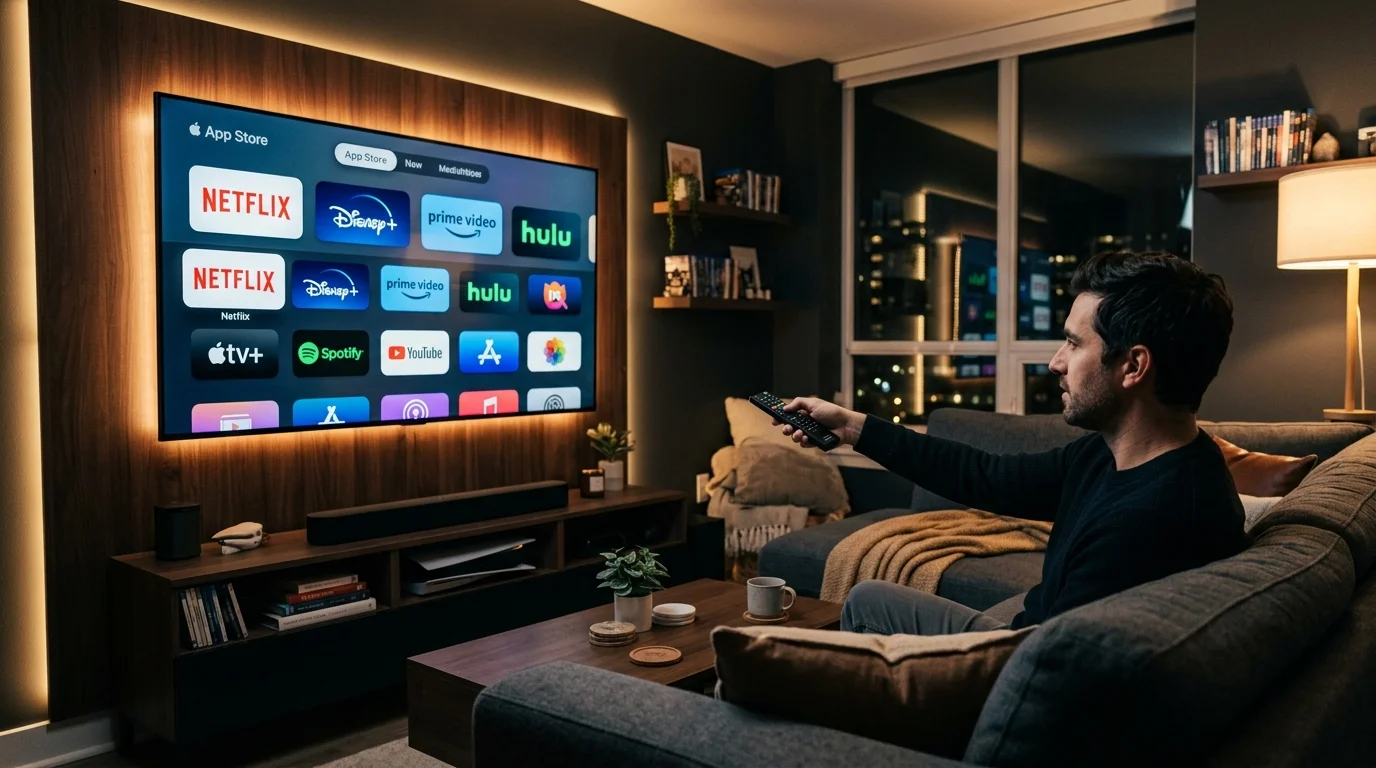 Person holding a remote control selecting streaming applications on a 4K Smart TV display ecosystem
Best IPTV Player for Samsung Smart TV (Tizen OS)
Samsung Smart TVs run on Tizen OS, a proprietary operating system that uses its own dedicated app store (Samsung Smart Hub). Because Tizen OS does not support standard Android APK files, you must install applications natively available in the Samsung App Store.
-
Top Native Recommendations:
- IBO Player: Hands-down the smoothest native IPTV app for Samsung Smart TV in 2026, offering fast channel switching and a polished modern interface.
- IPTV Smarters Pro: The most reliable free-to-download native choice with robust VOD poster grids and easy setup.
- Smart IPTV: A long-standing lightweight option for older Samsung models.
-
Pro Tip for Samsung Owners: If you prefer advanced Android applications like TiviMate, plug a low-cost streaming stick (such as an Amazon Firestick 4K Max or Chromecast with Google TV) into one of your Samsung TV's HDMI ports. For step-by-step installation instructions on your TV, follow our comprehensive IPTV installation guide.
Best IPTV Player for LG Smart TV (webOS)
LG Smart TVs operate on webOS, known for its fluid Magic Remote pointer navigation and clean card-style launcher menu.
-
Top Native Recommendations:
- IPTV Smarters Pro: Seamlessly compatible with LG Magic Remote pointer control, making category selection and searching effortless.
- IBO Player: Exceptionally fast performance on webOS displays with crisp 4K stream rendering.
- SS IPTV: Directly available on the LG Content Store as a free alternative for basic playlist viewing.
-
Pro Tip for LG Owners: Ensure your LG TV firmware is updated to the latest webOS version before downloading applications to guarantee optimal app stability.
Best IPTV Player for Android TV and Google TV
Televisions manufactured by Sony, TCL, Hisense, Philips, and Sharp—as well as dedicated media units like the Nvidia Shield TV—run on Android TV or Google TV. This ecosystem offers the widest selection of applications because it supports both Google Play Store apps and direct sideloading.
- Top Recommendations:
- TiviMate: Unquestionably the premier IPTV player for Android TV. Its cable-style grid, multi-view capabilities, and remote optimization are unmatched.
- OTT Navigator: Highly recommended for advanced users who want diagnostic overlays, custom channel filters, and archive catch-up controls.
- IPTV Smarters Pro: Excellent cross-platform choice for households with mixed devices.
Best IPTV Player for Fire TV (Amazon Firestick & Fire Cube)
Amazon's Fire TV devices run on FireOS, an operating system derived from Android. Fire TV users enjoy broad app access through the Amazon Appstore, with the ability to install external Android applications.
- Top Recommendations:
- TiviMate: The top pick for Firestick 4K and Fire Cube users who want a high-performance TV guide.
- IPTV Smarters Pro: Readily available on the Amazon Appstore for quick 2-minute setups.
- IBO Player: A great lightweight option for Fire TV stick devices with limited storage space.
Experience Premium IPTV Streaming in 4K
Get instant access to live channels, movies, and sports in crystal-clear 4K & HD. Watch without interruptions.
Best IPTV Player by User Type
Different viewers prioritize different features when selecting a Smart TV IPTV player. Use this breakdown to find the application tailored to your specific habits:
Best for Beginners
- Winner: IPTV Smarters Pro
- Why: Simple visual dashboard with separate buttons for Live TV, Movies, and Series. Requires minimal configuration—simply type in your login credentials and start watching.
Best for Advanced Power Users
- Winner: TiviMate (Android/Fire TV) & OTT Navigator
- Why: Offers deep menu customization, custom user-agent strings, buffer length tuning, multi-screen quad-viewing, automatic playlist sync schedules, and channel number mapping.
Best for EPG & Program Guide Enthusiasts
- Winner: TiviMate
- Why: Features the smoothest, fastest-scrolling Electronic Program Guide in the industry, complete with show descriptions, channel logos, and quick preview windows.
Best for VOD Movies & Series
- Winner: IPTV Smarters Pro & IBO Player
- Why: Beautiful poster grids, searchable movie categories, cast details, episode selection for TV series, and automatic resume playback for partially watched films.
Best for 4K Ultra HD Streaming
- Winner: TiviMate & IBO Player
- Why: Integrates advanced hardware video decoding (HW / HW+) that efficiently offloads 4K HEVC video streams to your Smart TV GPU. To learn more about optimizing 4K feeds, read our guide on IPTV 4K picture quality explained.
Best for Simple Remote-Control Navigation
- Winner: Smart IPTV (SIPTV) & IBO Player
- Why: Straightforward list interfaces that map cleanly to standard television remote buttons without complex nested sub-menus.
Best for Users with Multiple Playlists
- Winner: TiviMate Premium & OTT Navigator
- Why: Allows merging and switching between multiple provider accounts in a unified channel guide without logging out or re-entering details.
Essential IPTV Player Features Explained
When exploring settings inside an M3U IPTV player or Xtream Codes IPTV player, you will encounter several technical terms. Understanding these concepts helps you optimize your application configuration:
Electronic Program Guide (EPG)
An EPG is an XML-based data feed (often XMLTV format) that contains show names, start times, end times, show descriptions, and channel logos. A quality player automatically maps EPG data to active streams, allowing you to browse what is currently playing across hundreds of networks without interrupting your current show.
M3U Playlists
An M3U file (or M3U8 URL) is a plain-text file containing a list of video stream addresses. When you enter an M3U URL into a M3U IPTV player, the app downloads the list and categorizes the channels. While M3U links are widely supported, they require separate URLs for EPG schedules and VOD content.
Xtream Codes API
The Xtream Codes API is a modern server communication format that simplifies login. Instead of typing long, complex M3U web links with a TV remote, you enter three simple pieces of information provided by your service operator:
- Server URL / Address
- Username
- Password
The player automatically logs in, imports your live channels, syncs your program guide, and populates on-demand movie libraries in a single step. All Smartiflix subscription plans support seamless Xtream Codes API access.
Video on Demand (VOD) and Series Management
Modern applications separate live channels from static video files. When parsing a VOD library, top players fetch metadata—such as release year, IMDB ratings, plot summaries, and cover artwork—transforming raw video files into a streaming service layout comparable to mainstream platforms.
Favorites, Categories, and Custom Organization
With access to extensive channel lineups, scrolling through unorganized lists can take minutes. Quality players allow adding frequently watched networks to a "Favorites" list, hiding unused international packages, and creating custom channel groups for quick access during live events.
4K Playback and Hardware Decoding
High-definition and 4K streams require significant processing power to decode video frames in real time. Inside player settings, you can select between:
- Software Decoding (SW): Uses the CPU to decode video; can cause overheating, dropped frames, or buffering on Smart TVs.
- Hardware Decoding (HW / HW+): Uses dedicated GPU hardware chips inside your TV or media box; results in fluid, stutter-free playback for 4K HEVC streams.
Does the IPTV Player Affect Streaming Quality?
A common question among viewers is whether changing applications can eliminate buffering or make a blurry stream look sharper.
The short answer is partially, but only within the limits of local hardware processing.
It is vital to understand what an application can and cannot do:
-
What an IPTV Player CAN Affect:
- Decoding Efficiency: Software decoding can cause frame drops and stuttering, whereas enabling Hardware Decoding (HW+) ensures smooth rendering.
- Channel Switching Speed: Well-optimized applications tune stream buffer sizes, making channel changes feel instant.
- Interface Responsiveness: Lightweight apps prevent menu lag on older Smart TVs.
-
What an IPTV Player CANNOT Fix:
- Server Congestion: If a provider's server is overloaded, changing apps will not resolve buffering.
- Low Source Bitrate: An app cannot add missing detail to a heavily compressed stream.
- Home Internet Bottlenecks: Unstable Wi-Fi or ISP bandwidth throttling will affect every player application equally.
If you encounter playback freezing or channel loading issues, consult our detailed technical guides on IPTV buffering causes and fixes and what to do when IPTV channels are not loading. To evaluate your connection performance, read our analysis on what internet speed you need for IPTV.
IPTV Player vs IPTV Service: Understanding the Difference
To prevent configuration errors when setting up your Smart TV, keep this fundamental relationship in mind:
| Dimension | IPTV Service (e.g., Smartiflix) | IPTV Player App (e.g., TiviMate, Smarters) |
|---|---|---|
| Primary Role | Provides live channel streams, VOD servers, and EPG data. | Renders video feeds and displays the user interface on your screen. |
| Analogy | The television broadcast network sending signals. | The physical television box receiving and showing the picture. |
| Content Ownership | Owns/manages infrastructure and channel feeds. | Contains zero channels or media content by default. |
| Configuration | Issues server URLs, usernames, and passwords to subscribers. | Accepts login credentials to parse and show channels. |
| Billing | Service subscription for viewing access. | Application download (Free, one-time fee, or optional premium unlock). |
Never share your private service login credentials in public application forums or review sections. For a risk-free way to test infrastructure before committing, review our guide on how to test an IPTV service before subscribing.
How to Choose the Right IPTV Player for Your Smart TV
When selecting the ideal best IPTV player 2026 for your household, follow this 12-step decision checklist:
- Verify Native TV OS Support: Check whether the app is available directly in your Samsung Smart Hub, LG Content Store, or Google Play Store.
- Determine Hardware Capabilities: If your Smart TV processor is older or slow, choose a lightweight app like IBO Player or consider adding a 4K Firestick.
- Confirm Login Method: Ensure the player supports Xtream Codes API for hassle-free login.
- Evaluate EPG Layout: If live TV guide navigation is your priority, look for full grid-based EPG views.
- Check VOD Needs: If you watch movies and series regularly, ensure the app renders full poster art and episode lists.
- Test Remote Control Responsiveness: Confirm that channel switching and menu scrolling respond cleanly to your TV remote buttons.
- Verify 4K & HEVC Support: Check for Hardware Decoding (HW / HW+) options in video settings.
- Check Multi-Screen & Multi-Room Support: If your household streams on several screens simultaneously, look for multi-view features or read our guide on watching IPTV on multiple TVs.
- Review Pricing & Trial Terms: Determine whether the app is free, requires a small one-time device license, or offers a premium upgrade.
- Ensure Active Developer Support: Select applications that receive regular updates for security and codec compatibility.
- Look for Parental Controls: If you have children at home, select an app with PIN-locked adult categories.
- Test Multiple Apps: Download two or three compatible applications to see which interface feels most comfortable for your family.
Recommended Selection Framework:
- For Samsung Smart TV Owners: Install IBO Player or IPTV Smarters Pro natively.
- For LG Smart TV Owners: Install IPTV Smarters Pro or IBO Player natively.
- For Android TV & Firestick Owners: Install TiviMate for the ultimate television guide experience.
Smartiflix Compatibility & Player Options
Smartiflix is engineered to maintain 99.9% uptime and broad compatibility across all major streaming standards and player applications.
When subscribing to a Smartiflix plan, you receive instant access credentials compatible with:
- Xtream Codes API Credentials (Server URL, Username, Password)
- Direct M3U & M3U8 Playlist URLs
- XMLTV EPG Guide URLs
Whether you choose IPTV Smarters Pro on a Samsung Smart TV, IBO Player on an LG display, or TiviMate on an Amazon Firestick, Smartiflix connects effortlessly to deliver high-bitrate live channels, live sports broadcasts, and an extensive VOD catalog.
For detailed, step-by-step device configuration walk-throughs, visit our official IPTV installation guide or check our Smartiflix channel lineup.
Common IPTV Player Issues & Quick Troubleshooting
If your application experiences minor performance hiccups during setup, review these quick technical fixes:
- App Crashing or Freezing on Boot: Clear the application cache in your Smart TV settings menu, or uninstall and reinstall the application from your TV app store.
- EPG Guide Not Loading or Empty: Navigate to app settings and select "Refresh EPG." Verify that your device clock and time zone settings are correct, as inaccurate TV system times prevent EPG alignment.
- Invalid Details or Authorization Error: Double-check your server URL, username, and password for typos or accidental spaces when typing with a remote control.
- Video Plays with Sound but Black Screen: Switch the video decoder setting inside the app from Software (SW) to Hardware (HW/HW+).
- Audio Out of Sync with Video: Toggle the player engine settings or adjust audio delay offsets where supported by your application.
For detailed diagnostic steps when experiencing persistent connectivity issues, consult our master guide on IPTV not working: 15 things to check first.
Ready for Superior Picture Quality?
Enjoy buffer-free streaming with our high-bitrate servers and premium bandwidth. Instant setup on all devices.
Frequently Asked Questions
Conclusion
Finding the best IPTV players for Smart TV comes down to matching your television's operating system with an application that delivers fast remote navigation, responsive program guides, and stable video decoding.
Whether you choose IPTV Smarters Pro or IBO Player natively on a Samsung or LG display, or leverage the power of TiviMate on an Android TV or Firestick device, pairing a top-tier application with high-performance infrastructure is the secret to an elevated entertainment experience.
Ready to transform your home viewing setup? Explore Smartiflix pricing plans today, browse our verified channel list, or consult our IPTV installation guide to start streaming seamlessly!